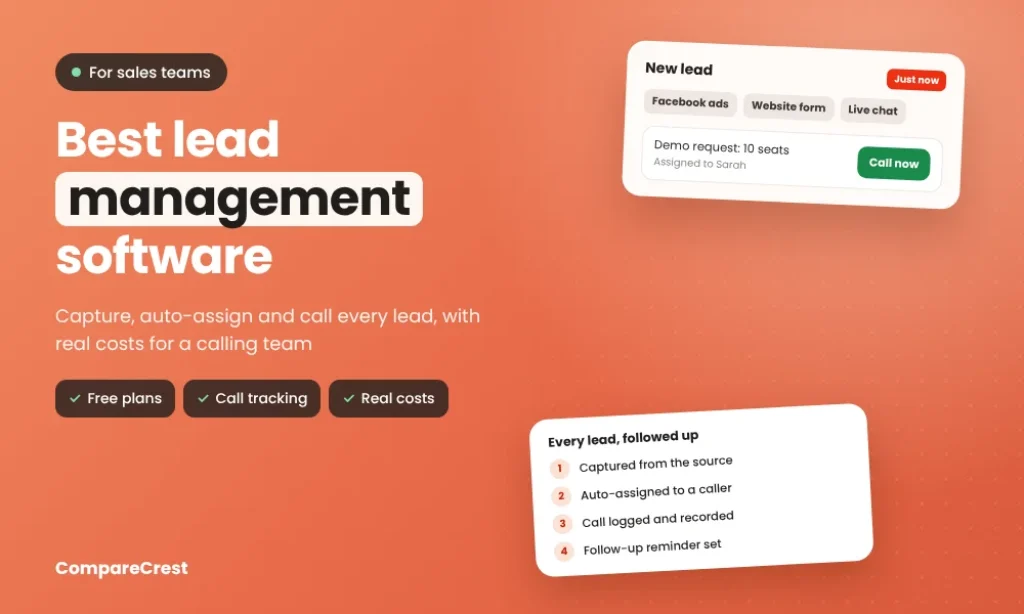

The best lead management software captures every enquiry from your forms, ads and inbox, routes it to the right rep in seconds, and makes sure nobody forgets to follow up. For most small teams, Zoho CRM ($14 per user a month, billed yearly) and Freshsales ($9) offer lead scoring and assignment rules for the lowest price, while HubSpot’s free CRM suits teams of one or two.
Pipedrive is the easiest to use for a visual pipeline, but its lead capture tools are a paid add-on below Premium. Teams that sell mostly by phone should look at Close, which builds calling and SMS into every plan. Salesforce Starter ($25) is the entry point if you expect to scale into an enterprise CRM. The cost that catches buyers out is usually not the seat price but the add-ons: calling minutes, lead capture tools and minimum seat counts.
Key Takeaways
Lead Management Software Features Compared
| Tool | Lead capture | Auto-assignment | Lead scoring | Calling | Follow-up sequences |
|---|---|---|---|---|---|
| Zoho CRM | Web forms, email, social (all paid plans) | Assignment rules from Standard | Scoring rules; Zia AI predictions on higher plans | Via telephony integrations | Workflow emails and tasks |
| Freshsales | Web forms, chat, email | Workflows assign leads | AI scoring on Pro | Built-in phone | Sequences on Pro |
| HubSpot | Forms and live chat, even on free | Basic routing on Starter | Scoring on Professional | Built-in calling | Sequences on Professional |
| Pipedrive | Leads Inbox; forms and chatbot via LeadBooster | Automations | Via marketplace apps | Via integrations | Email sequences |
| Close | Imports and integrations | Workflows on Growth | Not built in | Built-in calling and SMS; power dialer on Growth, predictive on Scale | Workflows on Growth |
| Salesforce Starter | Forms and landing pages | Lead routing rules | Included | Via integrations | Email nurture (2,000 emails a month) |
| monday CRM | Forms on every plan | Round robin from Standard | Not built in | Via integrations | Email templates and automations |
| Salesmate | Web forms | Automations | Not listed | Calling and texting as paid add-ons | Sequences on Pro |
| Privyr | Facebook Lead Ads, Google Forms, websites, Zapier | Lead distribution (2 recipients free, unlimited on Pro) | Not built in | One-tap call, WhatsApp, SMS from your phone | Follow-up sequences on Pro |
Lead Management Software vs a Full CRM
| Job | Lead management | Full CRM |
|---|---|---|
| Capture leads from web forms, ads and email | Core | Included |
| Assign leads by territory, round robin or score | Core | Included |
| Call, email and text leads from one screen | Core in sales-first tools | Often an add-on |
| Manage deals, quotes and products | Basic | Strong |
| Marketing campaigns and support tickets | Rarely | Often included |
Most tools in this list are full CRMs with strong lead features, so the question is which handles your lead sources and follow-up style best.
What a 10-Person Sales Team Pays
| Tool and plan | 10 users, per year | Lead capture and routing on this plan | Extra costs to budget |
|---|---|---|---|
| Freshsales Growth | $1,080 | Web forms, built-in phone, workflow assignment | Scoring and sequences need Pro; AI agent packs |
| Privyr Pro | $1,200 | Instant alerts from ad and form leads | WhatsApp add-ons |
| Zoho CRM Standard | $1,680 | Web forms, assignment rules, scoring | Telephony via integrations |
| monday CRM Standard | $2,040 | Round robin assignment | 3-seat minimum |
| Pipedrive Lite + LeadBooster | $2,070 | Forms and chatbot via LeadBooster ($390 a year) | Higher plans for automations |
| HubSpot Sales Hub Starter | $2,400 | Forms, live chat, basic routing | Sequences and scoring need Professional ($1,500 onboarding) |
| Salesmate Basic | $2,760 | Web forms, pipelines | Calling, texting and sequences cost extra or need Pro |
| Salesforce Starter | $3,000 | Forms, lead routing, scoring, email nurture | Calling needs an integration |
| Close Essentials | $4,200 | Built-in calling | Call minutes billed on usage; power dialer and workflows need Growth |
List prices per user per month on yearly billing, multiplied by 10 users and 12 months, before tax. Prices from vendor pages. European and Australian buyers will see local prices with VAT or GST added.
1. Zoho CRM
Best for: small and mid-size teams that want lead scoring and assignment rules without enterprise prices.
Zoho CRM captures leads from web forms, email and social channels, scores them with rules you set, and assigns them by territory or round robin. Workflow rules send follow-up emails and create tasks automatically, and Blueprint on Professional stops reps skipping required steps. Zia, Zoho’s AI assistant, predicts which leads are likely to convert on higher plans. It’s highly configurable, which is a strength once set up and a chore at the start. The free plan covers 3 users, and every paid tier applies to all seats on the account.
Pricing: Free for 3 users; Standard $14, Professional $23, Enterprise $40 and Ultimate $52 per user a month, billed yearly. Our Zoho CRM profile has the full breakdown.
2. Freshsales
Best for: teams that want built-in email, phone and chat with lead scoring on a small budget.
Freshsales, from Freshworks, combines contact and lead management with built-in phone, email and chat, so reps can call from the browser and see each lead’s website activity. Workflows assign leads and create follow-up tasks on Growth, the cheapest paid plan in this list. AI lead scoring from Freddy and multi-step sales sequences arrive on Pro. AI agent features are sold in separate packs, so the advertised seat price doesn’t include everything.
Pricing: from $9 per user a month billed yearly; trial available.
3. HubSpot
Best for: one- or two-person teams starting free, and companies planning to connect sales with marketing.
HubSpot’s free CRM creates contacts automatically from forms, email and live chat, and logs every email, call and meeting on one timeline. Free tools include email tracking, templates and a meeting scheduler for up to 2 users. Sales Hub Starter adds more seats and basic routing; sequences, workflow automation and lead scoring start on Professional. The jump to Professional is steep: $100 per seat with a 5-seat minimum and a mandatory $1,500 onboarding fee, so budget carefully if you expect to grow into it.
Pricing: Free for 2 users; Sales Hub Starter $20 per seat a month; Professional $100 per seat, minimum $500 a month, plus $1,500 onboarding.
4. Pipedrive
Best for: small B2B teams that think in pipelines and want minimal setup.
Pipedrive’s visual pipeline is the easiest in this list to learn, and its Leads Inbox keeps unqualified leads separate from real deals. It nudges reps to schedule a next step on every deal and flags deals with nothing planned. Email sync, automations and sequences handle follow-up, and its marketplace lists more than 500 integrations for calling and documents. Web forms, a chatbot and live chat come from the LeadBooster add-on, which is included free only on Premium and Ultimate. On Lite, that adds $32.50 a month to the bill.
Pricing: Lite $14, Growth $39, Premium $59 and Ultimate $79 per seat a month, billed yearly; LeadBooster $32.50 a month billed yearly. In Europe, Lite starts at €14 a seat.
5. Close
Best for: inside sales teams that live on the phone.
Close builds calling and SMS into the CRM, so reps can work through a lead list without switching tools. Growth adds workflows, bulk email and a power dialer; Scale adds a predictive dialer, unlimited call recording retention and live call coaching. Calls are billed on usage at about $0.02 a minute for most outbound calls, rounded up to the next minute. Contracts auto-renew, so check terms before an annual commitment.
Pricing: Solo $9, Essentials $35, Growth $99 and Scale $139 per user a month, billed yearly; 14-day free trial.
6. Salesforce Starter
Best for: companies that expect to grow into a large, customised CRM.
Salesforce Starter Suite gives small teams web forms and landing pages, rule-based lead routing, lead scoring and email nurture campaigns (2,000 emails a month) in a simplified version of Salesforce, with no cap on users (Salesforce). The Free Suite is limited to 2 users and has no automation. The value is the upgrade path into Pro Suite and beyond, where Salesforce has no real rival for customisation. Larger editions add implementation, admin and add-on costs that can far exceed the licence price.
Pricing: Free Suite available; Starter $25 and Pro Suite $100 per user a month.
7. monday CRM
Best for: teams that want lead tracking in the same workspace as their projects.
monday CRM turns leads into boards with custom fields, forms, automations and dashboards, so a team can shape the lead process without an admin. Round robin lead assignment starts on Standard; Basic has no automations. There’s no built-in lead scoring or calling, so add an integration if you need them. Every plan requires at least 3 seats, which raises the cost for a solo founder.
Pricing: Basic $12, Standard $17 and Pro $28 per seat a month billed yearly, minimum 3 seats.
8. Salesmate
Best for: inside sales teams of 3 to 50 who want pipelines, sequences and calling in one tool.
Salesmate combines pipelines, email sync and templates with sequences, quotes, a shared team inbox and a power dialer on higher plans. Most sales teams need Pro ($39 per user) for sequences and quotes, and calling minutes, texting and AI credits are billed as add-ons. There’s no free plan, and fees are non-refundable, so use the 15-day trial fully.
Pricing: Basic from $23 and Pro $39 per user a month; annual billing saves up to 20%.
9. Privyr
Best for: real estate agents, insurance brokers and solo sellers running Facebook or Google lead ads.
Privyr sends new leads from Facebook Lead Ads, Google Forms, websites and Zapier straight to your phone, merges duplicates and lets you call, text or WhatsApp in one tap. Pro adds follow-up sequences, bulk calling and messaging, custom fields and tracking of when a lead opens the brochure or quote you sent. It’s not a full CRM, which is the point for agents who work from their phone.
Pricing: free for up to 3 team members with limits; Pro $10 per user a month billed yearly, up to 20 members.
Which Lead Management Tool Fits Your Team?
| Your team | Pick | Why |
|---|---|---|
| Small business on a budget | Zoho CRM or Freshsales | Scoring and assignment rules from $9 to $14 |
| One or two people starting out | HubSpot Free | Free for 2 users |
| B2B team that wants it simple | Pipedrive | Easiest pipeline to learn |
| Inside sales making many calls | Close | Calling and SMS built in |
| Company planning a large CRM later | Salesforce Starter | Clear upgrade path |
| Team already on monday.com | monday CRM | Leads next to projects |
| Agent running lead ads from a phone | Privyr | Instant mobile alerts |
How to Choose Lead Management Software
- List every lead source and confirm each integration exists.
- Test how fast a new lead reaches a rep.
- Check which plan first includes automatic lead assignment.
- Add calling minutes, add-ons and seat minimums to the seat price.
- Confirm call recording meets consent rules where you sell.
- Check data residency if you sell in the EU or Australia.
- Run a two-week trial with the reps who’ll use it daily.
For finding new leads rather than managing them, see our AI lead generation tools and AI SDR tools. To see which companies visit your site before they fill in a form, read our guide to website visitor identification tools.