

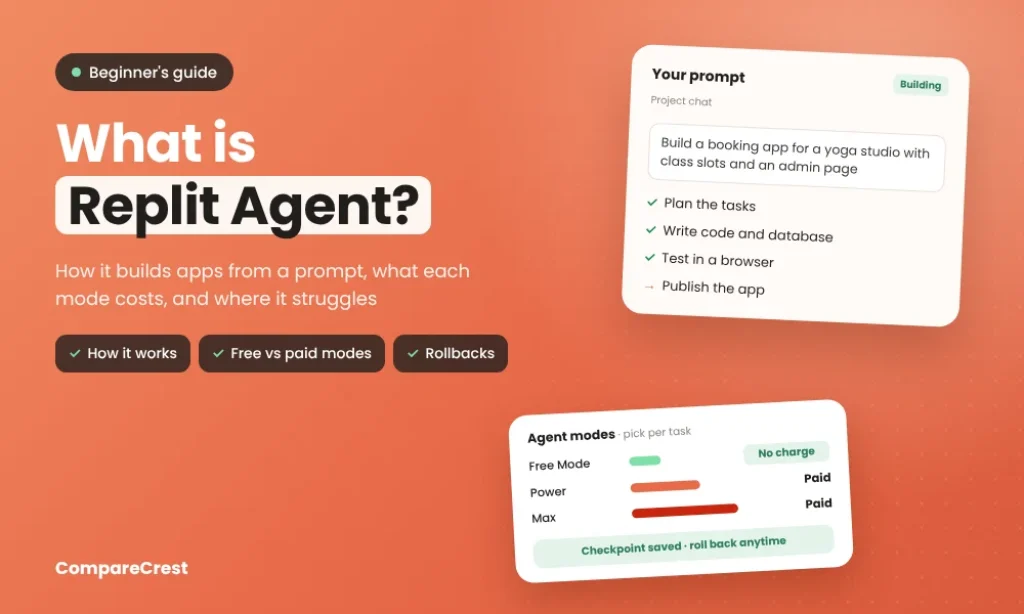

Replit Agent is the AI builder inside Replit that turns a plain-English description into a working app, then hosts it. Unlike a coding chatbot that suggests code for you to paste, it creates the project, writes the code, sets up the database and login, tests the result in a browser and publishes it, all inside Replit’s cloud. The current version, Agent 4, arrived in March 2026 and added a design canvas, parallel tasks and team building. Core costs $20 a month and Pro $100, but paid Agent work is billed by effort, so complex changes to an existing app can cost several dollars each. Unpredictable bills are the most common complaint in user reviews.
Key Takeaways
- It acts, not just answers. Agent plans, writes code, configures infrastructure, tests and fixes its own work, then publishes the app on Replit.
- Agent 4 is the current version. Released in March 2026, it added Design Canvas mockups, Plan mode, multiple tasks at once and live connections to tools like BigQuery, Slack and Notion.
- There are three ways to run it. Free Mode costs nothing within your plan’s allowance, which resets every five hours with a weekly cap. Power and Max use stronger models and are billed per task.
- Billing is by effort, not by message. Replit says simple changes typically cost under $0.25. Users report $2 to $4 per action when editing larger existing projects.
- Checkpoints are the safety net. Every completed task saves a snapshot you can roll back to, including the development database if you choose. The live production database is not restored by a rollback.
- It is strongest for prototypes and internal tools. Reviewers report looping fixes and broken features as projects grow more complex.
What Replit Agent Does, Step by Step
You describe what you want in the Project Editor chat, for example “a booking app for a yoga studio with class slots, payments and an admin page.” According to Replit’s Agent documentation, Agent then:
- Picks the project type (web app, mobile app, slides, dashboard or design) unless you choose one.
- Writes the code and sets up the infrastructure, including a Postgres database, authentication and storage.
- Tests the app and fixes errors it finds along the way.
- Saves a checkpoint when the task is done, showing what changed and what it cost.
- Publishes the app to a live URL when you’re ready.
You keep refining through chat. One project can hold several outputs that share the same backend, so a web app, a mobile app and a slide deck can all read from one database.
What Changed in Agent 4
Agent 4 replaced Agent 3 (September 2025). The March 2026 changelog lists the main additions:
| Feature | What it does |
|---|---|
| Design Canvas | Explore visual mockups before Agent writes any code |
| Plan mode | Agent writes an ordered task list for you to review before building |
| Parallel tasks | Several tasks run at once (1 background task on Core, 10 on Pro) |
| Team building | Collaborators build in the same project at the same time |
| Connectors | Pull data from BigQuery, Linear, Slack, Notion and others into chat |
Later updates added a Monitoring Agent that investigates production errors from your logs and can attempt fixes, reusable workspace skills, and an automatic Semgrep security scan on files Agent changes.
Free, Power and Max Modes Explained
Most confusion about Replit Agent comes from its modes, so it helps to see them side by side.
| Mode | Cost | Models | Best for |
|---|---|---|---|
| Free Mode | No charge within your plan’s allowance | Chosen automatically | Everyday edits, small features, questions |
| Power | Billed per task from credits | Strong mid-tier models | Full features and integrations |
| Max | Billed per task from credits | Top frontier models | Hard bugs, large refactors, complex builds |
| Auto (in Power or Max) | Billed per task | Replit picks the model per task | Leaving model choice to Replit |
Free Mode on Core and Pro resets every five hours and has a weekly limit. If a request needs more than Free Mode can handle, Agent offers a paid “Allow once” option and asks for confirmation before charging. Plan mode on a paid path can also bill for reasoning even when no code changes.
Replit Agent Pricing
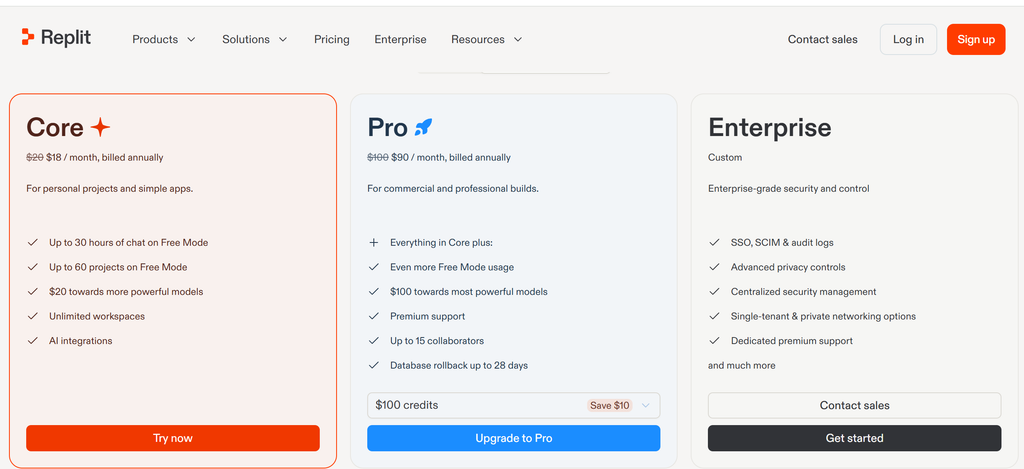
| Plan | Monthly price | Annual price | Credits included | Agent access |
|---|---|---|---|---|
| Starter | Free | Free | Daily cap only | Chat and Free Mode with a daily cap; 1 published app for 30 days |
| Core | $20 | $18/month | $20 a month | Full build, Plan mode, connectors, 1 background task, 5 collaborators |
| Pro | From $100 (larger credit tiers available) | $90/month | $100 and up, rolling over for two months | Everything in Core, 10 background tasks, 15 collaborators, 28-day database rollback |
| Enterprise | Custom | Custom | Custom | SSO, audit logs, model controls |
Source: Replit pricing and AI billing docs. Prices are in US dollars before tax. For Indian buyers, the card is charged in USD, so the final rupee amount depends on your bank’s exchange rate and GST.
Credits are shared across everything on Replit, not just Agent. Hosting a published app, database use and storage draw from the same balance, so a busy live app leaves less for building.
What Building With It Really Costs
Replit introduced effort-based pricing in June 2025: each completed request becomes one checkpoint priced by how much work it took. Replit says simple changes “typically cost less than $0.25.”
Costs climb on bigger, older projects. After Agent 3 launched, users quoted by The Register reported $2 to $4 per action on existing apps, and one said a server reset averaged $0.40 to $0.50. New apps were cheaper: one user reported long builds of 1 hour 45 minutes for $4 to $6. Replit itself acknowledged that effort-based pricing “can end up being more expensive over the lifetime of a project.”
Ways to keep the bill predictable:
- Set a hard budget in Settings, which pauses usage-based services when reached.
- Use Free Mode for small edits and save Power or Max for real features.
- Use Plan mode first on large requests, then approve one task at a time.
- Write one specific change per prompt instead of “fix everything.”
- Stop and roll back when Agent repeats the same fix twice.
- Check the cost of each checkpoint by hovering over its usage icon.
Where Users Say It Struggles
Replit holds a 4.4 out of 5 rating from 159 reviews on Capterra. The praise is consistent: non-coders get working prototypes in hours, and one platform handles interface, login, database and hosting. The complaints are just as consistent:
- Fix loops. Agent repeats the same error across several prompts, spending credits each time.
- Regressions. Adding a feature breaks one that already worked.
- Complex backends. Weaker results with custom backends, WebSockets and large projects.
- Ignored instructions. Agent sometimes uses sample data when live data was requested.
These match what our Replit vs Lovable comparison found: both tools speed up the first version, and both pull you into debugging once a project grows.
Checkpoints and Rollbacks: What You Can Undo
Every checkpoint is a snapshot of the whole project, not just the code. According to Replit’s checkpoint docs, it captures:
| Restored by rollback | Not restored by rollback |
|---|---|
| All project files and installed packages | Production database (needs a separate point-in-time restore) |
| Agent conversation context and memory | |
| Environment and publishing settings | |
| Development database, if you tick “Database” |
By default, a rollback leaves the database alone. You can also roll forward again if you went back too far, as long as you haven’t made new changes since.
Replit Agent vs Other AI Builders
| Tool | What it is | Pick it when |
|---|---|---|
| Replit Agent | Cloud workspace that builds, hosts and runs the app | You want one place to build and publish, in any language, including mobile |
| Lovable | Prompt-to-app builder for React web apps | You want a polished web app fast and are fine with React and Supabase |
| Cursor | AI code editor on your own machine | You write code yourself and want AI help inside your editor |
| Claude Code | Terminal coding agent | You work in your own repo and deploy elsewhere |
Replit’s difference is that hosting, database and agent sit together, which removes setup but also ties your running app to Replit’s credits. For a wider list, see our best vibe coding tools and best AI app builders. If the term is new, start with what vibe coding is.
Who Should Use Replit Agent
| You are | Fit |
|---|---|
| A founder testing an idea | Good: working prototype and live URL in a day |
| A team building internal tools or dashboards | Good: connectors pull in BigQuery, Slack or Notion data |
| A non-coder building a product to sell | Possible, but budget for paid modes and outside help as it grows |
| A developer with an existing codebase | Weaker: a local editor like Cursor or Claude Code gives more control |
| Anyone needing a fixed monthly cost | Poor: effort-based billing varies with every task |
If you want an agent that runs tasks for your business rather than one that builds apps, our guide on how to create an AI agent covers that.
