

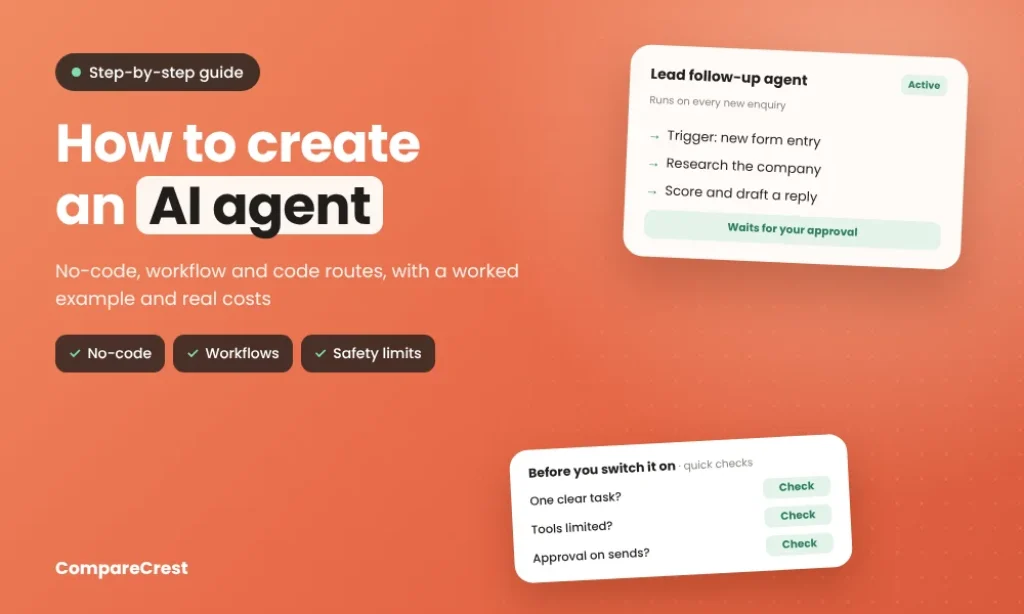

To create an AI agent, you give a language model a job, a set of tools it’s allowed to use (email, a spreadsheet, your CRM) and rules for when it must stop and ask a person. You can build one in about an hour without code. Use ChatGPT’s workspace agents or Microsoft Copilot Studio if your team already works there. Use n8n, Make or Zapier if the agent needs to run automatically when something happens. Use an SDK such as OpenAI’s Agents SDK or the Claude Agent SDK if you’re building the agent into your own product. One thing has changed recently: OpenAI is shutting down its visual Agent Builder after 30 November 2026, so new projects shouldn’t start there.
Key Takeaways
- An agent has four parts: a trigger, instructions, tools and limits. Most failed agents are missing clear limits, not intelligence.
- There are three routes: chat-based builders (ChatGPT, Copilot Studio, Gemini Enterprise), workflow tools (n8n, Make, Zapier) and code SDKs.
- Usage pricing differs by platform. n8n counts one execution per workflow run however many steps it has, Zapier counts each agent action as an “activity,” and Make charges credits per operation plus AI tokens.
- Start with one narrow, repeated task, such as following up on new leads or sorting support emails, not a general assistant. Gartner predicts that over 40% of agentic AI projects will be cancelled by the end of 2027 because of rising costs, unclear business value or weak risk controls.
- Keep a human approval step on anything that sends, pays or deletes until the agent has a track record.
Agent, Chatbot or Automation?
| What it does | Example | |
|---|---|---|
| Chatbot | Answers questions when asked | A website FAQ bot |
| Automation | Follows fixed steps you define | “When a form is submitted, add a row to Sheets” |
| AI agent | Decides which steps to take, using tools, to reach a goal | “Research this new lead, score it and draft a reply” |
If you can write every step in advance, a plain automation is cheaper and more reliable. Use an agent when the next step depends on reading something, like an email, a document or a web page.
The Four Parts Every AI Agent Needs
| Part | Question it answers | Lead follow-up example |
|---|---|---|
| Trigger | When does it start? | A new form submission on your website |
| Instructions | What’s the goal and how should it decide? | “Score the lead 1 to 5 using our ideal customer rules, then draft a reply” |
| Tools | What can it read or change? | Read the company website, look up the CRM, create a Gmail draft |
| Limits | What must it never do alone? | Never send email without approval; never edit existing deals |
Write the instructions the way you’d brief a new hire: the goal, the order of steps, what a good result looks like, and what to do when something is unclear.
Copy-Paste Instructions Template
Replace the parts in brackets and paste this into the instructions field of n8n’s AI Agent node, a ChatGPT workspace agent, Zapier Agents or Lindy:
text
Role: You are the [lead follow-up] agent for [company name].

Goal: For each [new website enquiry], [score the lead and draft a reply]
that a salesperson can approve.

Steps:
1. Read the enquiry and note the company, contact and request.
2. Use [website lookup] to learn what the company does and its size.
3. Use [CRM lookup] to check if they are already a customer.
4. Score the lead from 1 to 5 using the rules below.
5. Create a draft reply. Do not send it.

Scoring rules:
- 5: [B2B, 10 to 500 staff, based in India, asked for a demo]
- 3: [fits two of the above]
- 1: [student, job seeker, vendor pitch or spam]

Tone: [Friendly, short, no jargon. Sign off as the sales team.]

When unsure: If a detail is missing or unclear, say so in the draft
and give a score of 2. Never guess company size or budget.

Never: send emails, change existing CRM records, promise prices or
discounts, or contact anyone not named in the enquiry.

Output: Score, one-line reason, and the draft reply.
The “When unsure” and “Never” sections stop most early mistakes, so don’t skip them.
Choose Your Route
| Route | Tools | Best for | What you pay for |
|---|---|---|---|
| Inside your work chat | ChatGPT workspace agents, Microsoft Copilot Studio, Gemini Enterprise | Teams already on ChatGPT Business, Microsoft 365 or Google Workspace | Credits on top of your plan |
| Workflow automation | n8n, Make, Zapier Agents, Lindy | Agents that run on triggers across many apps | Executions, credits or activities, plus AI model usage |
| Code | OpenAI Agents SDK, Claude Agent SDK, Google ADK, LangGraph | Agents inside your own app or product | AI model API usage and hosting |
Route 1: Build Inside ChatGPT, Copilot or Gemini
ChatGPT workspace agents launched on 22 April 2026 for Business, Enterprise and Edu workspaces. OpenAI calls them an evolution of custom GPTs. To build one, open Agents, select Create, describe what you want, review the draft plan and select Build this agent. You can connect Google Drive, Calendar, Slack, SharePoint and custom MCP servers, run the agent on a schedule, in Slack or through an API. Write actions are set to “Always ask” by default. Credit-based pricing started on 6 May 2026.
Microsoft Copilot Studio suits Microsoft 365 companies. Agents published to Microsoft 365 Copilot are included in the $30 per user monthly Copilot licence. Other agent usage runs on Copilot Credits, sold at $200 a month for 25,000 credits or pay-as-you-go.
Gemini Enterprise has a no-code Workflow Builder for chat agents and multi-step workflows, with human approval steps and scheduled runs, limited to the data sources your admin connects.
This route is the quickest if your team already pays for one of these. The drawback is that the agent is tied to that ecosystem.
Route 2: Build in n8n, Make or Zapier
Workflow tools give you the most control without code. The agent sits inside a workflow that starts on a trigger, such as a new email, a form or a schedule.
| Platform | How usage is counted | Entry price | Source |
|---|---|---|---|
| n8n Cloud | 1 execution per workflow run, however many steps | Starter €20/mo (annual) for 2,500 executions; free self-hosted Community Edition | n8n pricing |
| Zapier Agents | 1 activity per agent action (search, lookup, action) | Free: 400 activities; Pro: $33.33/mo (annual) for 1,500 | Zapier pricing |
| Make | 1 credit per operation and tool call, plus AI token credits on Make’s provider | From $12/mo | Make credit usage |
| Lindy | Credits while the agent works | Team $29.99/user/mo with 3,000 credits | Lindy pricing |
On n8n and Make you can connect your own OpenAI, Anthropic or Google API key, so model costs are billed by that provider. Zapier and Lindy include model usage in their own units.
Route 3: Build in Code
If the agent is part of your product, use an SDK. The OpenAI Agents SDK, the Claude Agent SDK, Google’s Agent Development Kit and LangGraph all handle the agent loop for you: the model chooses a tool, the code runs it, and the result goes back to the model until the task is done. You pay each model provider per token and host the code yourself. OpenAI now recommends its Agents SDK for code-based work as it retires Agent Builder.
Here’s the same lead agent in about 30 lines of Python with OpenAI’s Agents SDK (pip install openai-agents, then set your OPENAI_API_KEY). The customer lookup uses sample data, so replace it with a call to your CRM:
python
from agents import Agent, Runner, function_tool

@function_tool
def lookup_customer(company_domain: str) -> str:
    """Check whether a company is already a customer."""
    existing = {"acme.in": "Customer since 2024, Pro plan"}
    return existing.get(company_domain, "Not a customer")

@function_tool
def save_draft_reply(to_email: str, subject: str, body: str) -> str:
    """Save a reply as a draft for a salesperson to review. Never sends."""
    print(f"DRAFT to {to_email}: {subject}\n{body}")
    return "Draft saved for review"

agent = Agent(
    name="Lead follow-up agent",
    instructions=(
        "Score each new enquiry from 1 to 5 against our ideal customer: "
        "B2B, 10 to 500 staff, based in India. Check if the company is "
        "already a customer, then save a short, friendly draft reply. "
        "If key details are missing, say so in the draft instead of guessing."
    ),
    model="gpt-6-luna",
    tools=[lookup_customer, save_draft_reply],
)

if __name__ == "__main__":
    enquiry = "Jyoti from acme.in (jyoti@acme.in), 40 staff, wants a demo of your billing tool."
    result = Runner.run_sync(agent, enquiry)
    print(result.final_output)
The SDK reads each function’s name, type hints and docstring to tell the model what the tool does, then runs the loop until the agent finishes. The agent has a draft tool but no send tool, so it can’t email anyone, however its instructions are worded. That’s the safest kind of limit. For tools that must take real actions, the SDK’s function_tool accepts needs_approval=True to pause for a person first. The Claude Agent SDK, Google’s ADK and LangGraph follow the same pattern with their own syntax.
Worked Example: A Lead Follow-Up Agent in n8n
This agent reads each new website enquiry, researches the company, scores the lead and drafts a reply for a salesperson to approve.
n8n workflow for a lead follow-up AI agent: a Form Trigger starts the workflow, an AI Agent node scores the lead and drafts a reply using three tools (HTTP Request to read the company website, a CRM or Sheets lookup, and a Gmail create-draft tool that cannot send), a human approval step lets a salesperson approve the draft in Slack or email, and the draft is saved with the score logged to Google Sheets.
- Add the trigger. Use a Form Trigger, or a webhook from your website form, so every enquiry starts the workflow.
- Add an AI Agent node. Connect a chat model with your own API key and paste the instructions: goal, scoring rules, tone of reply and what to do if information is missing.
- Give it tools. Add an HTTP Request tool to read the company’s website, a CRM or Google Sheets tool to check whether the company is already a customer, and a Gmail tool that creates a draft, not one that sends.
- Add memory only if it helps. A single-enquiry agent doesn’t need chat memory. Leave it out to keep runs cheaper and easier to predict.
- Turn on human approval. n8n’s human approval for tool calls lets a salesperson approve the draft in Slack or email before anything goes out.
- Test with 10 real past enquiries. Compare the agent’s scores with how those leads turned out, and adjust the scoring rules.
- Activate and log. Write each score, reason and draft to a sheet so you can review the agent’s decisions weekly.
Cost at 300 leads a month: each lead is one n8n execution, so 300 leads use 300 of Starter’s 2,500 monthly executions (€20 a month on annual billing), plus your model provider’s token charges. The same agent on Zapier would use several activities per lead (trigger, website lookup, CRM search, draft), so the free 400 activities cover roughly 100 leads, and Pro’s 1,500 cover roughly 350 to 375.
What the AI Model Adds per Lead
The platform fee is only part of the cost. Each lead also uses model tokens, billed by your provider. Assuming about 12,000 input tokens (instructions, website text and CRM result, resent across three model calls) and 1,000 output tokens per lead, here’s the model cost at OpenAI’s standard API prices, checked on 23 October 2026:
| Model | Price per 1M tokens (input / output) | Cost per lead | 300 leads a month |
|---|---|---|---|
| GPT-6 Luna | $0.10 / $0.50 | About $0.002 | About $0.50 |
| GPT-6.1 Sol | $2.00 / $10.00 | About $0.03 | About $10 |
| GPT-6 Astra | $10.00 / $50.00 | About $0.17 | About $51 |
For scoring and drafting, the smallest model is usually enough. Long web pages raise input tokens, so trim the page text before sending it to the model. Other providers’ small and large models fall in similar ranges, so check your provider’s pricing page before choosing.
Set Limits Before You Switch It On
An agent connected to email, a CRM or payments can keep acting after you’ve stopped watching. Before going live:
- List every app the agent can access, and remove the ones it doesn’t need.
- Give it a separate account or service login so you can revoke access in one place.
- Require approval for sending, paying, deleting and changing records.
- Set a spending cap on the model API and the platform’s usage.
- Test what happens when you revoke its access mid-task.
- Keep a log of every action and review it weekly for the first month.
Our guest guide on the AI agent exit test explains how to check that an agent really stops when its access ends. If the agent uses MCP servers to reach your tools, our MCP explainer covers how those connections work.
Five Agents Worth Building First
| Agent | Trigger | Tools | Approval needed? |
|---|---|---|---|
| Lead follow-up | Form submission | Website lookup, CRM, email draft | Before sending |
| Support email sorter | New support email | Help center search, ticket tagging | No (tags only) |
| Meeting prep | Calendar event in 24 hours | CRM, LinkedIn or website lookup | No (internal brief) |
| Invoice chaser | Invoice overdue by 7 days | Accounting app, email draft | Before sending |
| Weekly report | Every Monday | Analytics, Sheets, Slack | No |
For customer-facing agents that answer support chats, see our guide to AI agents for customer support, which compares ready-made options you don’t have to build yourself.
Common Mistakes
- Starting with a do-everything assistant instead of one repeated task.
- Giving the agent send or delete access on day one.
- Writing vague instructions such as “handle leads well.”
- Skipping a test on real past examples.
- Adding chat memory to agents that handle one item at a time.
- Building on a platform that’s being retired.
