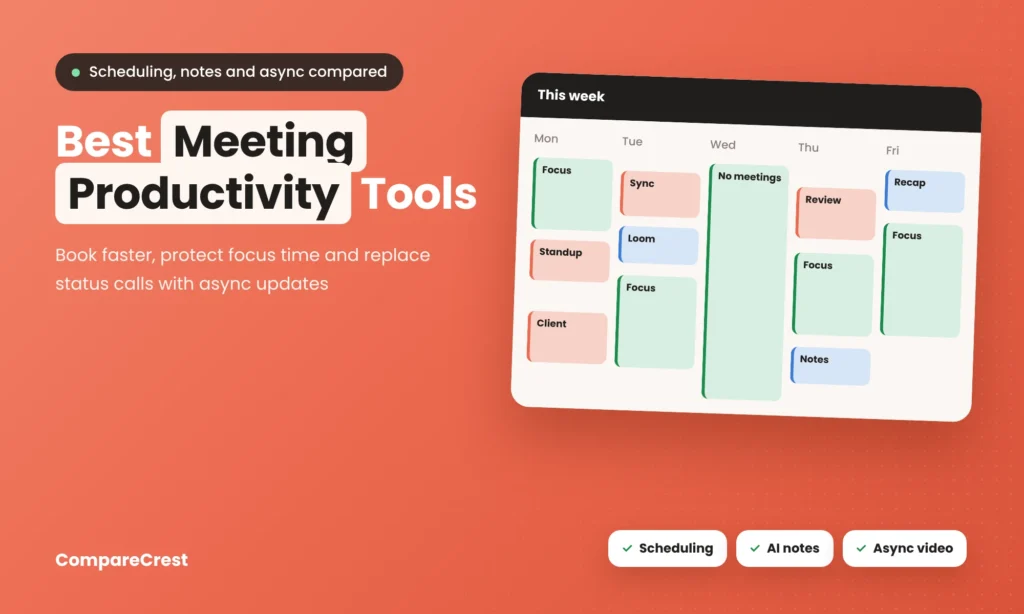

Meeting productivity tools cut the time a team spends arranging, sitting through and following up on meetings. They fall into four jobs: scheduling apps that remove the back-and-forth of booking (Calendly, Cal.com, SavvyCal), calendar assistants that protect focus time (Reclaim, Motion), meeting assistants that handle agendas, notes and action items (Fellow, Fathom), and async video tools that replace a meeting altogether (Loom). Most teams need two of these, not all four.
The problem is bigger than a crowded calendar. Microsoft’s 2025 Work Trend Index found that 57% of meetings are ad hoc calls with no calendar invite, one in ten scheduled meetings is booked at the last minute, and meetings after 8 pm are up 16% year on year. This guide compares 11 tools by the job they do, what they cost a 10-person team, and where the free plans stop.
Key Takeaways
- For booking external meetings, Calendly is the safest pick, Cal.com has the most generous free plan for individuals, and zcal Pro is the cheapest paid team plan at $7 a user.
- Reclaim is the leading calendar assistant now that Clockwise has closed. Its free Lite plan includes Focus Time, Habits and Smart Meetings.
- Fellow has turned into an AI meeting assistant; its Team plan is $7 a user a month billed yearly, with 10 AI notes per user per month.
- Loom replaces status meetings with recorded updates. The free Starter plan allows 25 videos of up to 5 minutes.
- TidyCal sells a one-time lifetime licence for $29, the lowest long-term cost here for a solo professional.
Meeting Productivity Tools Pricing Compared
| Tool | Job | Free plan | Entry paid plan | Higher plan |
|---|---|---|---|---|
| Calendly | Scheduling | 1 event type, 1 calendar | $10 (Standard; $12 monthly) | $16 (Teams; $20 monthly) |
| Cal.com | Scheduling | 1 user, unlimited links and calendars | $12 (Teams) | $28 (Organizations) |
| SavvyCal | Scheduling | Free to try; pay when you share links | $10 (Basic; $12 monthly) | $17 (Premium; $20 monthly) |
| zcal | Scheduling | Unlimited links and calendars | $7 (Pro) | Same plan |
| TidyCal | Scheduling | Unlimited bookings, 1 calendar | $29 one-time (Individual Lifetime) | $99 a year (Pro) |
| Doodle | Group polls | 1 group poll, 1 booking page | Pro (per seat) | Team (per seat) |
| Reclaim | Focus time | Lite: 1 user, 1-week range | $10 (Starter) | $15 (Business) |
| Motion | AI planning | Trial only | $19 (Pro AI) | $29 (Business AI) |
| Fellow | Notes and actions | 5 AI notes per user (lifetime) | $7 (Team; $11 monthly) | $15 (Business; $23 monthly) |
| Fathom | Notes and actions | Unlimited recordings | $15 (Team, 2-user minimum) | $25 (Business) |
| Loom | Async video | 25 videos, 5-minute recordings | $15 (Business; $18 monthly) | $20 (Business + AI; $24 monthly) |
Calendly’s Notetaker and its email scheduling assistant, Callie, are sold as add-on tiers. Standard with them costs $18 a seat a month billed yearly, and Teams with them $24. Doodle doesn’t show Pro or Team prices in its page text, so check them at checkout.
What a 10-Person Team Pays a Month
| Plan | Monthly cost (10 users, yearly billing) | What it adds |
|---|---|---|
| zcal Pro | $70 | Team pages, round robin, SMS reminders, no branding |
| Fellow Team | $70 | 10 AI notes and recordings per user per month |
| Calendly Standard | $100 | Unlimited event types, multiple calendars, payments |
| SavvyCal Basic | $100 | Unlimited links and polls, round robin |
| Reclaim Starter | $100 | Up to 10 seats, 8-week scheduling range |
| Cal.com Teams | $120 | Round robin, routing forms, no branding |
| Fathom Team | $150 | Shared call library, AI action items |
| Loom Business | $150 | Unlimited videos and recording time |
| Reclaim Business | $150 | Unlimited calendar syncs, delegated access |
| Fellow Business | $150 | Unlimited AI notes, CRM integration |
| Calendly Teams | $160 | Round robin, lead routing, Salesforce |
| Motion Pro AI | $190 | AI task and project planning on calendars |
| Loom Business + AI | $200 | Auto meeting notes, recap emails, AI editing |
A common pairing is one scheduling tool and one notes or async tool. Calendly Standard with Fellow Team comes to $170 a month for 10 people. zcal Pro with Fellow Team comes to $140.
Best Tools for Scheduling Meetings
1. Calendly: Best for Booking External Meetings
Calendly is the default for sales, recruiting and client-facing teams because most invitees have already used one of its links. The free plan allows one event type and one calendar connection. Standard, at $10 a seat a month billed yearly, adds unlimited event types, up to six calendars, reminders, HubSpot and Mailchimp connections, and Stripe and PayPal payments. Teams, at $16, adds round-robin scheduling, routing forms that qualify leads before they book, centrally managed event types and Salesforce sync. Enterprise starts at $15,000 a year.
Calendly now goes past booking: its Notetaker records and summarises Zoom, Google Meet and Teams calls, and Callie schedules over email. Both are in English only and cost extra. Calendly also links into most CRMs, so it fits teams already running one of the tools in our CRM software for small business comparison.
2. Cal.com: Best Free Scheduling App
Cal.com is open source, and its free plan is unusually complete for a single user: unlimited links and calendars, email and SMS notifications, Stripe and PayPal payments, two-way Salesforce and HubSpot sync, and a one-click import of Calendly event types. Teams costs $12 a user a month billed yearly and adds shared availability, round robin, routing forms, booking analytics and the option to remove Cal.com branding. Organizations, at $28, adds sub-teams, SAML SSO, SCIM, and SOC 2, HIPAA and ISO 27001 compliance.
3. SavvyCal: Best Booking Experience for Invitees
SavvyCal lets invitees overlay their own calendar on your booking page, so they can see where both diaries are free without switching tabs. Basic costs $10 a user a month billed yearly ($12 monthly) and includes unlimited links, polls and calendars, team scheduling, and settings that cluster meetings together to keep focus time free. Premium, at $17 ($20 monthly), puts booking pages on your own domain, sends emails from your own address, adds delegated access for an assistant and takes Stripe payments. It comes with a 30-day money-back guarantee rather than a long free plan.
4. zcal: Cheapest Paid Team Scheduler
zcal is a small, underrated scheduler with a free plan that covers most individual needs: unlimited links and calendar accounts, meeting polls, group events, custom questions, welcome videos and Zoom, Meet and Teams integrations. Pro costs $7 a user a month and adds team pages, round-robin and collective events, SMS reminders, file uploads and branding removal. For a small team that just needs shared booking links, it’s the cheapest paid option here.
5. TidyCal: Best One-Time Payment Option
TidyCal, from the AppSumo team, sells a lifetime licence rather than a subscription. The free plan covers unlimited bookings, paid bookings and group bookings on one calendar. Individual Lifetime costs $29 once and adds automatic Zoom, Meet and Teams links, custom emails and 10 calendar connections, and Agency Lifetime, at $79 once, adds round robin and collective meetings. Pro costs $99 a year, removes TidyCal branding, adds a custom domain and drops the 1% platform fee on paid bookings. It suits freelancers and consultants who don’t want another monthly bill.
6. Doodle: Best for Group Meeting Polls
Doodle is still the quickest way to find a time for a group outside your company: you offer a few slots, people vote, and the most popular one wins. The free plan includes one group poll, one booking page, one 1:1 and one sign-up sheet, with ads. Pro removes the ads and limits and adds deadlines, reminders and hidden participant lists. Team adds an admin console, co-hosted events, booking on behalf of others and Stripe payments, and Doodle advertises a 24% discount for paying yearly. zcal, SavvyCal and Calendly also include polls, so Doodle mainly earns its place when polls are the main job.
Best Tools for Protecting Focus Time
7. Reclaim: Best AI Calendar Assistant
Reclaim reads your calendar and task list, then books Focus Time, recurring Habits, buffers between calls and flexible meetings into the gaps, and moves them when plans change. The free Lite plan includes Focus Time, Habits, Buffer Time and Smart Meetings for one user, with a one-week scheduling range and one scheduling link. Starter costs $10 a seat a month billed yearly for up to 10 seats and an 8-week range. Business, at $15, covers up to 100 seats and adds unlimited calendar syncs and scheduling links, a team out-of-office calendar and delegated access for assistants. Enterprise is $22 a seat.
Reclaim also took over many Clockwise users. Clockwise’s team joined Salesforce, and the product stopped working on 27 March 2026, removing its Focus Time blocks and scheduling links from users’ calendars.
8. Motion: Best for Planning Tasks Around Meetings
Motion approaches the same problem from the task side. It schedules each person’s tasks and projects into the free time between meetings, and replans automatically when a meeting runs over or a new one appears. Pro AI costs $19 a seat a month billed yearly, and Business AI, at $29, adds team capacity planning, Gantt charts, time tracking and dashboards. It’s a project tool as much as a calendar tool, and it appears in our project management software comparison for that reason.
Best Tools for Agendas, Notes and Action Items
9. Fellow: Best Meeting Assistant for Team Meetings
Fellow started as a shared-agenda tool for one-on-ones and team meetings and now records, transcribes and summarises calls on Zoom, Google Meet and Microsoft Teams, with AI action items and an Ask Fellow search across past meetings. The free plan gives each user 5 AI notes and recordings for life. Team costs $7 a user a month billed yearly ($11 monthly) for 10 AI notes per user per month, meeting automations and project management, Confluence and Notion integrations. Business, at $15 ($23 monthly), makes notes unlimited and adds org-wide templates and Salesforce and HubSpot sync. Enterprise starts at 10 users and $25 a user.
10. Fathom: Best Free AI Meeting Recorder
Fathom’s free plan records and transcribes unlimited meetings and produces instant summaries, with a bot-free capture option in beta. Premium, listed at $16 a user a month, adds advanced summaries, AI action items and a meeting assistant. Team, at $15 with a two-user minimum, adds a shared workspace with folders, comments and search across the team’s calls. Business, at $25, adds CRM field sync and coaching scorecards. Fathom says paying yearly saves 25% or more.
For a fuller comparison of recorders, including Otter, Fireflies and tl;dv, see our best AI note takers guide. If you already collect meeting transcripts, NotebookLM can turn a batch of them into a searchable briefing.
Best Tool for Replacing Meetings With Async Video
11. Loom: Best for Status Updates and Walkthroughs
A recorded update that colleagues watch at 1.5x speed often replaces a 30-minute status call. Loom records your screen and camera, transcribes in more than 50 languages, and lets viewers comment and react on the timeline. The free Starter plan allows 25 videos of up to 5 minutes. Business costs $15 a user a month billed yearly ($18 monthly) for unlimited videos and recording time, basic editing and branding removal. Business + AI, at $20 ($24 monthly), adds automatic meeting notes and recap emails, filler-word removal and AI editing.
Meeting Productivity Features Compared
| Tool | Round robin | Meeting polls | Payments at booking | AI notes or summaries | Focus time blocking |
|---|---|---|---|---|---|
| Calendly | Teams | Yes | Standard | Add-on | No |
| Cal.com | Teams | Ask | Free | No | No |
| SavvyCal | Basic | Yes | Premium | No | Clusters meetings |
| zcal | Pro | Free | Free | No | No |
| TidyCal | Agency Lifetime | Ask | Free (1% fee) | No | No |
| Doodle | Ask | Free | Team | No | No |
| Reclaim | Ask | No | No | No | Free |
| Motion | No | No | No | Ask | Auto-schedules tasks |
| Fellow | No | No | No | Free (5 lifetime) | No |
| Fathom | No | No | No | Free | No |
| Loom | No | No | No | Business + AI | No |
“Ask” means the vendor’s pricing page doesn’t confirm it; check with the vendor before relying on it.
Which Meeting Tool Fits Your Team
| Team or need | Best fit | Why |
|---|---|---|
| Sales or recruiting team booking prospects | Calendly Teams | Routing forms, round robin, Salesforce sync |
| Solo consultant or freelancer | Cal.com Free or TidyCal | Free plan, or $29 once |
| Small team on a tight budget | zcal Pro | $7 a user for team links and reminders |
| Client services wanting a branded booking page | SavvyCal Premium | Own domain and own email address |
| Engineers and makers losing deep work | Reclaim | Auto-scheduled Focus Time and buffers |
| Managers running weekly one-on-ones | Fellow | Shared agendas, notes and action items |
| Remote team across time zones | Loom | Async updates instead of late calls |
| Team that needs records of every call | Fathom | Free unlimited recordings |
How to Cut Meeting Time With These Tools
- Replace weekly status calls with a Loom update and a comment thread.
- Set a no-meeting day or Focus Time in Reclaim before the week fills up.
- Use booking links with built-in buffers instead of offering slots by email.
- Require an agenda in Fellow before a recurring meeting can go ahead.
- Send AI summaries to people who only need the outcome.
- Cap default meeting length at 25 or 50 minutes in your scheduling tool.
These steps target the problems in Microsoft’s data: unscheduled calls, last-minute bookings and evening meetings across time zones. A tool won’t fix a meeting culture on its own, but it makes the better habit the easier one.