
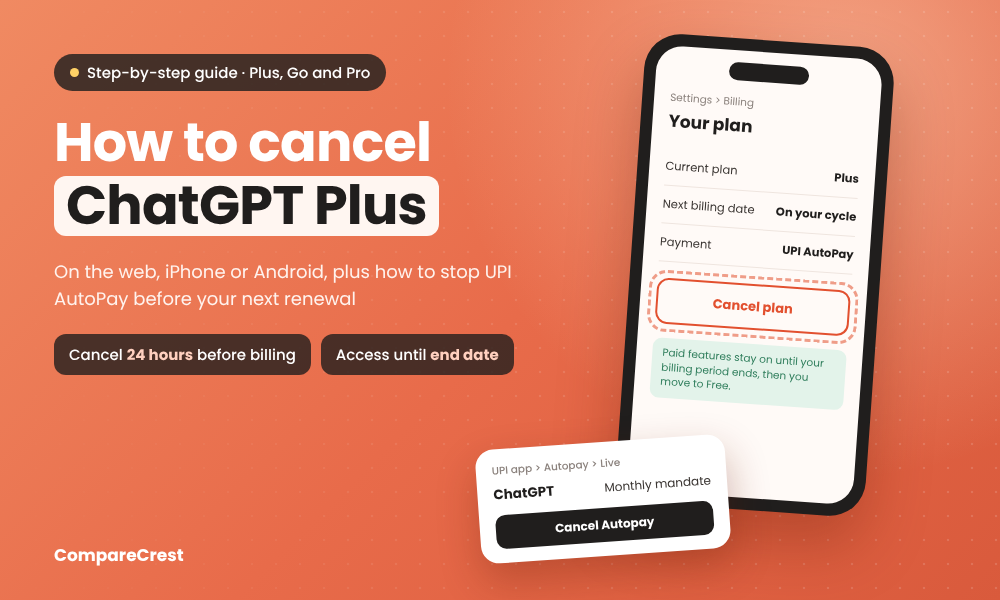

To cancel ChatGPT Plus, open chatgpt.com, go to Settings > Billing, and click Cancel under Cancel plan. If you subscribed through the iPhone app or Google Play, cancel from your Apple or Google subscriptions instead, because ChatGPT can’t cancel those for you. Cancel at least 24 hours before your next billing date, and you keep Plus features until the current period ends.
The same steps work for ChatGPT Go and Pro. The one thing to get right first is where you’re paying, since cancelling in the wrong place leaves the subscription running.
First, Check Where You Pay
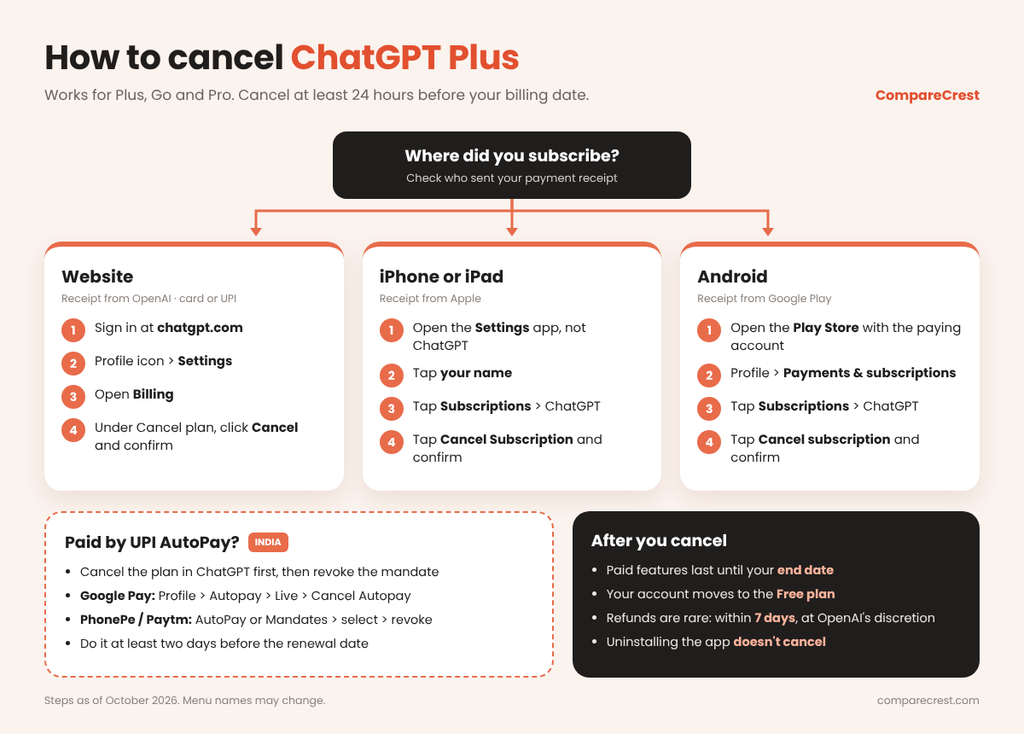
| If your payment receipt comes from | You subscribed through | Cancel in |
|---|---|---|
| OpenAI (card or UPI on chatgpt.com) | The website | ChatGPT Settings > Billing |
| Apple (App Store receipt) | The iPhone or iPad app | iPhone Settings > your name > Subscriptions |
| Google Play | The Android app | Play Store > Subscriptions |
If you’re not sure, search your email for “ChatGPT” receipts, or check your bank or UPI app to see who the charge is from.
How to Cancel ChatGPT Plus on the Web
- Sign in at chatgpt.com with the account that pays for Plus.
- Click your profile icon and open Settings.
- Go to Billing.
- Under Cancel plan, click Cancel and confirm.
You’ll see the date your plan ends. Until then, Plus features keep working. If you change your mind before that date, you can restart the plan from the same screen.
How to Cancel ChatGPT Subscription on iPhone or iPad
- Open the Settings app (not the ChatGPT app).
- Tap your name at the top.
- Tap Subscriptions.
- Choose ChatGPT and tap Cancel Subscription, then confirm.
If there’s no cancel button but an expiry date is shown, the subscription is already cancelled and will end on that date.
How to Cancel ChatGPT Plus Subscription on Android
- Open the Google Play Store and make sure you’re signed in to the Google account that paid.
- Tap your profile icon, then Payments & subscriptions > Subscriptions.
- Select ChatGPT and tap Cancel subscription, then confirm.
You can also do this from the Google Play subscriptions page in a browser, by selecting Manage next to ChatGPT.
Paid by UPI AutoPay? Cancel the Plan, Then Check the Mandate
Many Indian users pay for ChatGPT through a UPI AutoPay mandate or a card mandate. Cancelling the plan in ChatGPT stops future renewals, which is the main step. To be sure nothing else is debited, check the mandate in your UPI app afterwards:
- Google Pay: Profile picture > Autopay > Live tab > select the ChatGPT mandate > Cancel Autopay, then enter your UPI PIN.
- PhonePe: Open the AutoPay or Mandates section in payment settings, select the mandate, and revoke it.
- Paytm: Open Automatic Payments or Active Mandates, select the mandate, and cancel it.
- Card mandates: Check your bank’s app or net banking for standing instructions or e-mandates.
Do both, in that order. Revoking only the UPI mandate doesn’t cancel the ChatGPT subscription itself, and some users report a debit still going through when they revoked the mandate too close to the renewal date. Give yourself at least two days.
Cancelling ChatGPT Go Before Your Free Year Ends
From 4 November 2025, OpenAI offered users in India 12 months of ChatGPT Go free, so the earliest of those free years end from 4 November 2026. If you signed up with UPI or a card, the plan renews as a paid subscription when the year is up.
To check your renewal date, go to Settings > Billing on chatgpt.com. If you don’t want to keep paying, cancel there before that date, then check the mandate in your UPI app as above. Cancelling now doesn’t cut your free year short; Go stays active until the end date shown.
What Happens After You Cancel
- Your paid features continue until the end of the billing period you’ve already paid for.
- After that, your account moves to the Free plan. Your account isn’t deleted.
- Paid-only features, such as higher message limits and some advanced models and tools, stop at the end date.
- Uninstalling the app doesn’t cancel anything, and neither does deleting the app from your phone.
Cancelling late is the most common mistake. OpenAI says to cancel at least 24 hours before your billing date, because a charge that has already been processed may not be stopped.
Can You Get a Refund on ChatGPT Subscription?
OpenAI’s general rule is that subscription payments are not refundable, with a few exceptions:
| Situation | What OpenAI’s policy says |
|---|---|
| Within 7 days of a charge, plan not substantially used | A refund may be considered at OpenAI’s discretion |
| More than 7 days after the charge | No automatic or prorated refund |
| Billing error, unauthorised charge, or documented service failure | Can qualify |
| EU, UK or Turkey | Prorated refund if you cancel within 14 days of purchase |
| Paid through Apple | Request the refund from Apple, not OpenAI |
| Paid through Google Play | Request through OpenAI’s Help Center chat |
To ask for a refund on a web or Google Play purchase, sign in to chatgpt.com with the charged account, open the chat widget on help.openai.com, and follow the eligibility check. Approved refunds take about 5 to 7 business days, or up to 10 for Google Play. A refund usually ends your paid access early.
Can’t Log In to Cancel?
If you paid on the website, contact OpenAI Support through help.openai.com with your account email, the last four digits of the card (never the full number) and your latest payment date. If you paid through Apple or Google, cancel from that store account; ChatGPT login isn’t needed. Contact Apple or Google if you can’t access the store account.
Cancel, Downgrade or Switch?
Before cancelling, it’s worth checking whether a cheaper option fits what you actually use.
| Option | Price in India | Good for |
|---|---|---|
| ChatGPT Free | ₹0 | Occasional questions and light writing |
| ChatGPT Go | ₹399/month | Regular use with higher limits than Free |
| ChatGPT Plus | ₹1,999/month | Heavy daily use, advanced models, image and video tools |
Our guide on whether ChatGPT Plus is worth it breaks down what each plan includes. If you’re leaving ChatGPT altogether, see ChatGPT vs Gemini, where Gemini’s AI Plus plan also costs ₹399, or free ChatGPT alternatives that work without login.
Cancelling vs Deleting Your Account
These aren’t the same. Cancelling stops the subscription and keeps your account on the Free plan. Deleting your ChatGPT account removes it entirely, and it cancels subscriptions billed directly by OpenAI, but not Apple or Google Play subscriptions. If you subscribed through an app store, cancel there first, then delete the account if you want to.
FAQs
How do I cancel ChatGPT Plus?
Do I lose Plus immediately if I cancel?
Can I get a refund after cancelling ChatGPT Plus?
How do I stop ChatGPT UPI AutoPay?
Why can’t I see a cancel button in ChatGPT?
Does deleting the ChatGPT app cancel my subscription?
How do I cancel ChatGPT Go after the free trial in India?
Menu names in ChatGPT, app stores and UPI apps can change, so follow the labels on your screen if they differ.
