

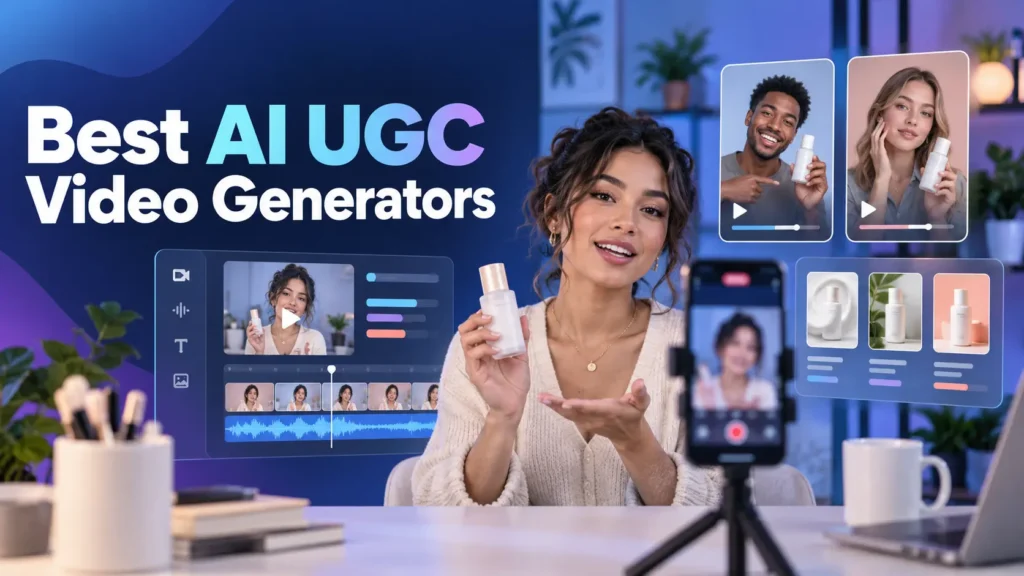

AI UGC tools can now turn a product page, a short brief and an AI actor into a creator-style ad without arranging a shoot. That does not make every output convincing. The useful tools are the ones that help you test hooks, preserve the product accurately, change actors or languages, and produce several ad variations without rebuilding the video from scratch.
For most ecommerce brands, Creatify is the best place to start because its workflow is built around ads rather than generic talking-avatar videos. Arcads is the stronger option for performance teams that want a much larger actor library, while JoggAI offers a more accessible combination of product videos, avatars and generative models. HeyGen and InVideo are capable, but each solves a broader video problem and may be unnecessary if all you need is a steady supply of short UGC-style ads.
The Best AI UGC Video Generators Compared
| Tool | Best for | Product URL to video | AI actors or avatars | Free access | Starting paid price* |
|---|---|---|---|---|---|
| Creatify | Best overall for ecommerce ads | Yes | 300+ on Starter | 10 monthly credits, watermarked | $39/month |
| Arcads | Performance teams testing many actors | Yes | 1,000+ AI actors | Account required to confirm | Pricing shown after signup |
| JoggAI | Best value for varied product-video workflows | Yes | 450+ stock avatars plus custom avatars | 200 promotional credits | $29 monthly or $24/month annually |
| Tagshop AI | Small brands that want a guided ad workflow | Yes | Stock and custom avatars | Limited free access | Pricing varies by selected plan |
| Zeely | Creating and launching Meta ads in one platform | Yes | Customizable AI avatars | Trial availability varies | $29.95/month on the website |
| HeyGen | Custom spokesperson and multilingual ads | Not its main workflow | Stock, photo and custom avatars | 3 one-minute videos/month | $29/month |
| InVideo | Full ads combining generated scenes and editing | Yes | AI-cast creators | Limited generation access | $17/month annually |
*Pricing checked in September 2026. Monthly allowances, credit costs and promotional prices can change. Confirm the cost of the particular generation model you intend to use before paying annually.
How We Chose These Tools
This is not a ranking of every platform that can place a talking avatar over a product image. We included tools that support at least several parts of the actual UGC-ad workflow: scripting, creator selection, product input, voice generation, scene assembly, captions, variations and export.
We compared public product documentation and current pricing pages across five practical questions:
- Can the tool start from a product URL, image or existing ad?
- Does it offer actors and formats that suit short social ads?
- Can you revise the hook, actor or language without starting again?
- Is the pricing clear enough to estimate regular production?
- Is it built for UGC ads, or is UGC merely one possible avatar-video use?
We did not claim hands-on testing or rank tools by vendor-reported conversion figures. Ad performance depends on the offer, script, audience and media buying, not simply which generator rendered the video.
Creatify: Best Overall for Ecommerce UGC Ads
Creatify is the easiest recommendation for a brand that wants to turn product pages into multiple ad concepts. Paste a URL and it can extract product information, draft a script, pair it with an AI actor and assemble a vertical video. Its broader AdFlow workspace also covers templates, ad cloning, creative inspiration and launching ads to supported platforms.
The important distinction is that Creatify thinks in ads rather than presentations. Its UGC workflow is designed around products, hooks and social placements. That makes it more direct than starting with a general avatar tool and manually sourcing every product shot and caption.
The free plan is useful for evaluation, not regular publishing. According to Creatify’s current pricing, it includes 10 monthly credits, approximately two video ads, 300 actors and watermarked exports. Starter costs $39 per month with 100 credits, watermark removal, videos up to two minutes and access to more models and templates.
Choose Creatify if: you run an ecommerce store or small agency and want the quickest route from product page to several testable ads.
Arcads: Best for Testing a Large Range of AI Actors
Arcads is built for performance marketers who believe the actor, hook and delivery style are variables worth testing separately. Its main advantage is a library of more than 1,000 AI actors, considerably broader than most entry-level tools. You can also create a custom avatar when a brand needs a recurring face.
Its AI UGC generator is tightly focused on ad production rather than training videos or corporate presentations. That makes Arcads attractive to mobile-app marketers, agencies and D2C teams producing a high volume of variations.
The drawback is buying transparency. Arcads does not expose a stable, detailed public price table as clearly as Creatify or JoggAI. Plans and allowances may be presented after account creation, so you should confirm the number of generated videos, revision costs, actor access and export rights before subscribing.
Choose Arcads if: your team already runs paid-social creative tests and needs many faces, voices and hooks.
JoggAI: Best Value for Product Videos and Avatars
JoggAI covers more than UGC ads, but its product-focused features make the extra breadth useful rather than distracting. It supports URL-to-video, product avatars, product photo and video shoots, talking photos, custom avatars, voice cloning and a selection of generative video models.
The credit system needs attention. JoggAI’s free access provides 200 promotional credits that expire after 31 days and equate to about one minute of avatar video. Its pricing page lists Starter at $29 month-to-month or an effective $24 per month on annual billing. The annual version includes 144,000 credits granted upfront, product-ad tools, three custom avatars and watermark removal.
Those headline minute estimates apply to avatar video. Generative models, face swaps and other tools can burn credits at different rates, so a minute allowance is not the same thing as a guaranteed number of finished UGC ads.
Choose JoggAI if: you want one affordable workspace for product ads, avatar clips and experiments with different video models.
Tagshop AI: Best Guided Workflow for Smaller Brands
Tagshop AI turns a product link, image or script into a creator-style ad using avatars, generated scripts and voiceovers. Its AI Video Agent is the main attraction: instead of making the user assemble every step manually, it guides the ad from input to export. Ad Clone can also rebuild the structure of a reference ad around a different product.
That workflow is useful for small ecommerce teams without a dedicated editor. Tagshop says videos generally take five to ten minutes to process and offers custom plans for teams producing 50 or more UGC ads. However, its public pricing page does not consistently expose every plan price and allowance in crawlable form. Check the live checkout screen for credits, video length, watermark and commercial-use conditions.
Choose Tagshop AI if: you prefer a guided agent and reference-ad workflow over a large, complex editing suite.
Zeely: Best for Creating and Launching Meta Ads Together
Zeely combines creative generation with campaign tools. It can produce UGC videos, static ads, talking reels and other formats, then help set up campaigns for Facebook and Instagram. This is a different proposition from tools that stop once the MP4 is exported.
Website pricing currently lists Starter at $29.95 per month for 2,500 credits, Plus at $49.95 for 5,000 credits and Growth at $79.95 for 10,000 credits. The unusual part appears later in Zeely’s pricing terms: running ads through Zeely requires additional ad spend, and Zeely says it may charge up to 12% in connection with managed campaigns. App and website plans can also differ.
That extra layer may be worthwhile for an owner who wants creative generation and campaign setup in the same product. A marketer already comfortable inside Meta Ads Manager may prefer to generate elsewhere and retain direct control.
Choose Zeely if: you want one platform to create ads, launch Meta campaigns and view performance recommendations.
HeyGen: Best for a Consistent Custom Spokesperson
HeyGen is an avatar-video platform first and a UGC-ad tool second. That distinction matters. It is strong when the goal is a consistent spokesperson, a digital version of a founder or the same presenter localized into multiple languages. It is less purpose-built for extracting a product page and automatically creating several direct-response ad concepts.
The free plan includes three videos a month of up to one minute. HeyGen’s paid plans start with Creator at $29 per month, followed by Pro at $49 and Business at $149 plus additional-seat charges. Feature-specific credits determine how much of the more advanced avatar quality you can generate.
For a deeper distinction between fixed presenters and scene-based tools, see our guide to the best AI animation tools for YouTubers.
Choose HeyGen if: your brand needs one recognizable AI spokesperson across ads, explainers and localized videos.
InVideo: Best for Building Complete Ads With Generated Scenes
InVideo takes a broader, more generative approach. Its UGC workflow can cast an AI creator from a description, maintain that creator across the ad, preserve uploaded product references and produce different hooks. You also get a fuller video-generation and editing environment around the result.
That flexibility comes with heavier usage costs. InVideo’s plans start at $17 per month when billed annually, but the inexpensive plan is not a realistic indicator of frequent generative-ad production. InVideo’s own documented workflow estimated roughly 500 credits, or around $125, for one heavily iterated UGC ad. That example is not a universal price, but it shows why buyers must budget for discarded generations and revisions rather than finished duration alone.
If you need cheaper prompt-to-clip tools for isolated scenes, our free AI text-to-video generator comparison covers that category separately.
Choose InVideo if: you want to generate the creator, product shots, supporting scenes and final edit inside a larger creative workspace.
Which AI UGC Generator Should You Choose?
Choose Creatify if you want the most balanced ad-first workflow for an ecommerce brand. It has public entry pricing, URL-to-video generation and enough actor and template variety for regular testing.
Choose Arcads if creative volume and actor selection matter more than transparent entry pricing. It is the most focused option here for established paid-social teams producing many variations.
Choose JoggAI if you want more tools for the money and are comfortable monitoring credits by model. It is particularly appealing when you need product videos and avatars beyond a single UGC format.
Choose Tagshop AI for a guided, agent-style workflow, or Zeely if you also want help launching Meta campaigns. Choose HeyGen for a persistent spokesperson and multilingual versions. Choose InVideo when a UGC-style ad needs generated scenes and a fuller edit, not just a talking actor.
What to Check Before Paying
Calculate cost per usable ad, not per generated minute
The first render is rarely the ad you publish. Budget for rejected actors, mispronunciations, product inaccuracies, changed hooks and alternative openings. A plan advertising 20 generated videos may yield far fewer usable ads after revisions.
Inspect the product in every shot
AI can alter labels, packaging, colours and proportions. This is more serious for supplements, cosmetics and regulated products where a changed label can turn an ordinary visual flaw into a misleading claim.
Confirm commercial-use and avatar rights
Check whether your plan permits paid advertising, whether custom avatars require recorded consent and whether stock actors carry any placement restrictions. Do not assume that being able to export a file automatically grants every commercial right.
Treat “UGC” as a visual style
Synthetic UGC is not content created by a real customer. Avoid presenting an AI actor as an actual purchaser or inventing personal product experiences. The safest scripts demonstrate features or communicate an offer without fabricating a testimonial.
Keep a human review before publishing
Review captions, pronunciation, product details, pricing claims and calls to action. AI speeds up production, but it does not take responsibility for an inaccurate ad.
FAQs
What is an AI UGC video generator?
It creates creator-style product videos with AI actors, voices, scripts and generated or uploaded product visuals. Unlike a creator marketplace, it does not hire a real customer or influencer to film the video.
Which AI UGC video generator is best for ecommerce?
Creatify is the strongest general starting point because it can turn a product URL into an ad and provides ad-focused templates, actors and variation tools. Arcads is better suited to established performance teams that need a larger actor library.
Is there a genuinely free AI UGC generator?
Creatify, JoggAI and HeyGen provide limited free access, but each restricts credits, video count, features or watermark removal. Free plans are adequate for testing an actor and workflow, not for running a regular paid-ad programme.
Can AI UGC videos be used in paid ads?
Many platforms support commercial advertising on paid plans, but terms differ by plan, actor and uploaded asset. Check the platform’s current commercial-use terms and make sure you own or have permission to use product images, logos, voices and custom-avatar footage.
Are AI UGC ads better than hiring real creators?
They are faster for producing variations and localizing a concept, but they do not replace the credibility of a real customer or creator. A practical strategy is to use AI for early hook testing, then commission real creators for concepts that prove promising.
Can these tools keep a product label accurate?
Some tools offer product-reference or product-locking features, but none should be trusted without inspection. Packaging text and small visual details remain common failure points in generated video.
Which tool is best for multilingual UGC ads?
HeyGen is the strongest choice when localization and a consistent spokesperson are the priorities. Creatify is more suitable when multilingual output needs to remain part of an ecommerce ad workflow.
Do AI UGC tools replace a video editor?
They can create a complete short ad, but an editor remains useful for precise pacing, brand graphics, sound design and combining the best sections from several generations. Tools such as InVideo include more of that broader editing workflow.

Ajay Kumar is an SEO and AI search specialist with more than 10 years of experience across SEO, app store optimisation and generative engine optimisation. He has led search growth for gaming, software, fintech and healthcare brands in India and internationally, and he edits every CompareCrest comparison, checking pricing and claims against vendor sources before publishing.
