

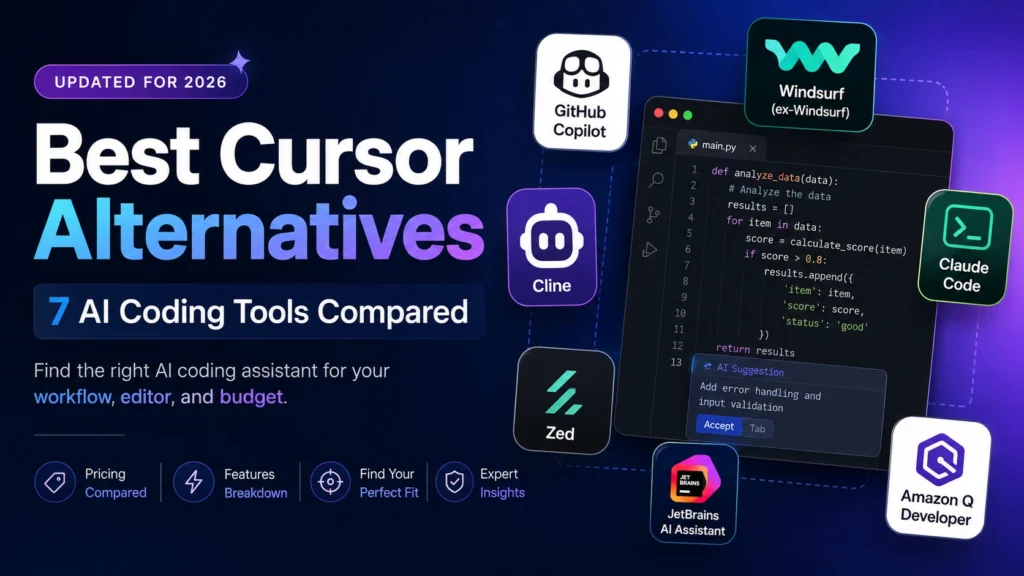

If you like Cursor but want something cheaper, more flexible, or simply better suited to the way you code, there are several good alternatives.
GitHub Copilot is the easiest switch if you already work in VS Code or JetBrains and mainly want AI coding help without changing your editor. Windsurf is the closest alternative if you want another AI-first coding environment. Claude Code makes more sense if you prefer giving an agent a task from the terminal and letting it work across the codebase. Cline is worth considering if you want to choose your own models and pay the providers directly.
Then there are more specific choices. Zed is aimed at developers who care about editor performance, JetBrains AI Assistant makes the most sense if you’re already committed to IntelliJ-based IDEs, and Amazon Q Developer is particularly useful for teams that live in AWS.
There isn’t one universal “best Cursor alternative.” The right choice depends mostly on how you code, which editor you already use, and how much control you want over AI usage and costs.
Why Look for a Cursor Alternative?
Cursor is still one of the strongest AI coding environments, but it isn’t the obvious choice for everyone. Pricing is one reason. Cursor’s standard individual plan is $20/month, while developers in India can now get the Start plan for ₹649/month. The bigger consideration is how much AI usage you actually need and which models you want to use. Cursor separates its own model usage from third-party model usage, so the plan you choose matters more than the headline subscription price suggests.
There are also simpler reasons to look elsewhere:
- You don’t want to leave VS Code or your JetBrains IDE.
- You prefer a terminal-based coding agent.
- You want to bring your own API key and choose the model yourself.
- You care more about editor performance than AI features.
- Your team is heavily invested in AWS.
- You simply don’t like Cursor’s workflow.
That makes the comparison less about finding a product that is “better than Cursor” and more about finding one that fits your workflow better.
Quick Comparison: Cursor Alternatives at a Glance
| Tool | Best for | Starting price | Main advantage | Main limitation |
| GitHub Copilot | Affordable AI coding inside existing IDEs | Free / $10 mo. | Excellent editor integration | Advanced AI usage uses credits |
| Windsurf | AI-first editor experience | Free tier | Agentic IDE with broad model access | Different workflow from Cursor |
| Claude Code | Terminal-based agentic development | Included with Claude Pro | Strong multi-file reasoning and automation | No traditional visual IDE |
| Cline | Model flexibility and BYO API key | Free + API usage | Choose your provider and model | You manage the API bill |
| Zed | Fast, lightweight editing | Free / paid AI plans | Native performance | Smaller extension ecosystem |
| JetBrains AI Assistant | JetBrains users | From $10/mo. | Built into JetBrains IDEs | Not an option for VS Code users |
| Amazon Q Developer | AWS-focused teams | Free / $19 user/mo. | Strong AWS context | Less compelling outside AWS |
Pricing reflects published rates as of August 2026 and changes frequently in this category — confirm current plans directly with each provider before purchasing.
The 7 Best Cursor Alternatives
1. GitHub Copilo
Best for: developers who want AI assistance without changing the editor they already use.
GitHub Copilot is probably the easiest Cursor alternative to recommend for someone who doesn’t particularly want an AI-first editor in the first place.
It works inside popular development environments and has become much more than an autocomplete tool. Paid plans now include agentic features, model selection, cloud agents and code review alongside the traditional coding suggestions. Copilot Pro starts at $10/month, while Pro+ is $39/month.
The catch is that Copilot isn’t completely “flat price” anymore. Since June 2026, AI-heavy features use GitHub AI Credits, while code completions and Next Edit Suggestions remain unlimited on paid plans. That means the $10 subscription doesn’t necessarily tell you what heavy agent usage will cost.
Still, for someone who mostly wants inline coding assistance and occasional AI agents, Copilot is difficult to ignore.
Choose it over Cursor if: You already like VS Code or JetBrains and don’t see much value in moving to a separate AI-first editor.
2. Devin Desktop (Formerly Windsurf)
Best for: developers who want an AI-native coding environment similar to Cursor.
Windsurf is one of the most direct alternatives to Cursor because the products are built around a similar idea: your editor and an AI agent work together on the same codebase.
Its newer workflow puts more emphasis on agents, including an Agent Command Center that lets developers manage local and cloud agents from the same environment. Windsurf also integrates Devin’s autonomous cloud agent into the broader workflow.
That makes Windsurf a particularly interesting choice for developers who like the general Cursor concept but want to try a different implementation.
The important distinction isn’t simply “Cursor versus Windsurf.” Both are trying to solve the same problem, so the better choice comes down to which editor experience, agent workflow and model access you prefer.
Choose it over Cursor if: you want another AI-first editor rather than going back to a conventional IDE with an AI plugin.
Also read: Is Windsurf Now Devin? Windsurf Pricing in 2026
3. Claude Code
Best for: developers who would rather give an AI agent a task than work through an in-editor chat interface.
Claude Code takes a very different approach from Cursor. There isn’t a traditional AI editor to learn. You open your project in the terminal, tell Claude what you’re trying to accomplish, and let it inspect files, make changes, run commands and iterate.
That makes it particularly attractive for larger tasks where the agent needs to work across multiple files rather than simply generate the next function or answer a coding question. Claude Code can also be used through a Claude Pro or Max subscription, rather than requiring a completely separate product subscription.
The downside is obvious: if you want a visual editor with inline changes, chat panels and familiar IDE controls, Claude Code isn’t trying to replace that experience.
It’s better thought of as an AI software-engineering agent that happens to work from the terminal.
Choose it over Cursor if: your ideal workflow is “give the agent the task and let it work through the codebase” rather than “edit alongside an AI.”
Also read: Claude Code vs Cursor: Which AI Coding Tool Fits You?
4. Cline
Best for: developers who want control over which AI provider they use.
Cline takes perhaps the clearest alternative approach to subscription-based AI coding tools. Instead of locking you into one provider’s model catalog and billing system, Cline lets you connect the model provider you want. That can include commercial APIs as well as local models.
The upside is flexibility. If you prefer one model for coding, another for cheaper tasks, or a local model for certain projects, you have more control.
The downside is that you also take responsibility for the bill.
There’s no single Cline subscription that tells you what your monthly AI costs will be. Your spending depends on the provider, model and amount of work you send through it.
That can be a major advantage for experienced developers who understand API pricing, but it can feel like unnecessary complexity if you simply want one predictable subscription.
Choose it over Cursor if: you care more about model choice and billing transparency than having everything bundled into one subscription.
5. Zed
Best for: developers who want a fast, lightweight code editor with AI features.
Zed takes a different starting point from Cursor and Windsurf. The editor itself is the priority. Built as a native application rather than an Electron-based VS Code fork, Zed is designed around speed and responsiveness. AI features are available on top of that editor experience.
That makes Zed interesting if your main frustration isn’t Cursor’s AI capabilities but the feeling that modern development environments have become unnecessarily heavy.
The trade-off is ecosystem size. VS Code has an enormous extension ecosystem, and tools built around it benefit from that. Zed doesn’t offer the same breadth.
So this isn’t necessarily the best choice for someone looking for “Cursor but with more AI.” It’s more interesting for someone thinking, “I want a really fast editor, and I’d also like good AI features.”
Choose it over Cursor if: editor speed and simplicity matter more to you than having the biggest possible AI-first feature set.
6. JetBrains AI Assistant
Best for: developers already using IntelliJ IDEA, PyCharm, WebStorm, Rider or another JetBrains IDE.
If you’re already comfortable in a JetBrains IDE, switching editors just to get AI coding features may not make much sense. JetBrains AI Assistant adds AI capabilities directly to the environment you’re already using, including coding assistance, chat and code generation.
That makes the decision fairly straightforward for many JetBrains users: before moving to Cursor, try the AI tools inside the IDE you already know.
The obvious limitation is that this isn’t a solution for someone whose team is standardized on VS Code.
Choose it over Cursor if: you already live in a JetBrains IDE and don’t want to change your development environment just to get AI assistance.
7. Amazon Q Developer
Best for: Developers and teams building primarily on AWS.
Amazon Q Developer makes the most sense when your development environment and infrastructure are already tied closely to AWS. Instead of competing purely on general-purpose code generation, Q Developer can provide context around AWS services and workflows. That can be useful when you’re dealing with infrastructure, permissions, cloud resources and other AWS-specific tasks.
For a team that spends most of its day inside AWS, that context can be more valuable than simply having another general-purpose coding assistant.
For developers working mostly outside AWS, however, the reason to choose Q Developer becomes less compelling.
Choose it over Cursor if: AWS is a major part of your development stack and you want your coding assistant to understand that environment.
Which Cursor Alternative Should You Pick?
The easiest way to choose isn’t to compare every feature. Start with why you’re considering leaving Cursor.
You want something cheaper: Start with GitHub Copilot. Its $10 Pro plan is half the price of Cursor’s standard $20 plan, although advanced AI usage is now credit-based.
You want to stay in your current IDE: GitHub Copilot is the obvious first option. JetBrains users should also look at JetBrains AI Assistant before switching editors.
You want another Cursor-like AI editor: Try Windsurf. It’s one of the closest alternatives in terms of the overall AI-first editor concept.
You want an autonomous coding agent: Claude Code is the more natural fit if you’re comfortable working from the terminal.
You want complete control over models and costs: Cline is the most flexible option because you can choose the provider and manage the API usage yourself.
You care about editor performance:
Zed is worth a look, particularly if you want a lightweight native editor rather than another VS Code-style environment.
You work heavily with AWS: Amazon Q Developer is the most specialized choice in this list.
The important thing is that you don’t necessarily need to replace Cursor completely. For some developers, the best setup may be Cursor for day-to-day editing and another tool such as Claude Code or Cline for specific agentic workflows.
Frequently Asked Questions
What are the main differences between Cursor and GitHub Copilot?
Cursor is built around an AI-first editor experience, while GitHub Copilot works inside existing development environments such as VS Code and JetBrains. Copilot is generally the easier choice if you don’t want to change editors; Cursor is more appealing if you want the editor itself built around AI-assisted development.
Is GitHub Copilot cheaper than Cursor for individual developers?
Yes, at the entry-level paid tier. GitHub Copilot Pro costs $10/month, compared with $20/month for Cursor’s standard individual plan. However, both products now have usage considerations for advanced AI features, so the headline subscription price isn’t the whole cost comparison.
How does Windsurf compare with Cursor for AI-assisted coding?
Both are AI-first coding environments designed to let developers work alongside agents inside the editor. The better choice comes down to the editor experience, agent workflow and model access you prefer rather than a simple difference between “AI editor” and “normal IDE.”
Is Claude Code better than Cursor for large codebases?
It can be, depending on how you work. Claude Code is designed around agentic tasks from the terminal and can work across files, run commands and iterate on changes. Cursor provides a more traditional visual development environment with AI deeply integrated into the editor. The better choice depends on whether you prefer an autonomous terminal agent or an AI-assisted IDE.
How does Cline's pricing compare with Cursor?
Cline doesn’t work like a conventional fixed-price AI coding subscription. You can use your own API key and pay the model provider directly, so your cost depends on the models and amount of usage. Cursor is simpler because the AI tooling and subscription are bundled together, although Cursor also has usage-based pricing for some model usage.
Which Cursor alternative is best for VS Code users?
GitHub Copilot is the easiest choice because it works directly inside VS Code. Cline is another strong option if you want more control over models and API providers without moving to a separate AI-first editor.
Is Zed faster than Cursor?
Zed is designed as a native editor with performance as a core part of the product, while Cursor is built around the VS Code ecosystem and a much broader AI development experience. If raw editor responsiveness is your priority, Zed is worth trying; if AI agents and ecosystem compatibility matter more, Cursor may be the better fit.
Which is better for AWS teams: Cursor or Amazon Q Developer?
Amazon Q Developer has the more obvious advantage when your development work is closely tied to AWS services and infrastructure. Cursor is the broader general-purpose option and is likely to make more sense for teams working across multiple cloud providers or stacks.
Can Claude Code and Cursor be used together?
Yes. They solve slightly different problems, so there is no requirement to choose only one. A developer could use Cursor as the main editor and Claude Code for larger autonomous tasks that are easier to manage from the terminal.
