


Cloudinary’s four plans run from a free tier good for small sites and prototypes up to custom enterprise contracts, but the sticker price is only half the story. The real cost depends on how the credit system converts your transformations, storage, and delivery into a single number, and on whether you’re on a self-serve plan (which suspends you instead of billing overages) or a pay-as-you-go or enterprise contract (which does charge per extra credit). Here’s the current pricing, what each tier includes, and where the costs most people don’t budget for actually show up.
Cloudinary Pricing Plans: Free, Plus, Advanced and Enterprise
| Plan | Monthly | Annual (per month) | Credits/month | Users / Accounts |
| Free | $0 | $0 | 25 | 3 / 1 |
| Plus | $99 | $89 | 225 | 3 / 2 |
| Advanced | $249 | $224 | 600 | 5 / 3 |
| Enterprise | Custom | Custom | Custom | Custom |
Annual billing saves roughly 10% over paying monthly on both Plus and Advanced. Enterprise pricing isn’t published; it’s negotiated based on projected usage, support tier, and contract length.
What One Credit Actually Covers
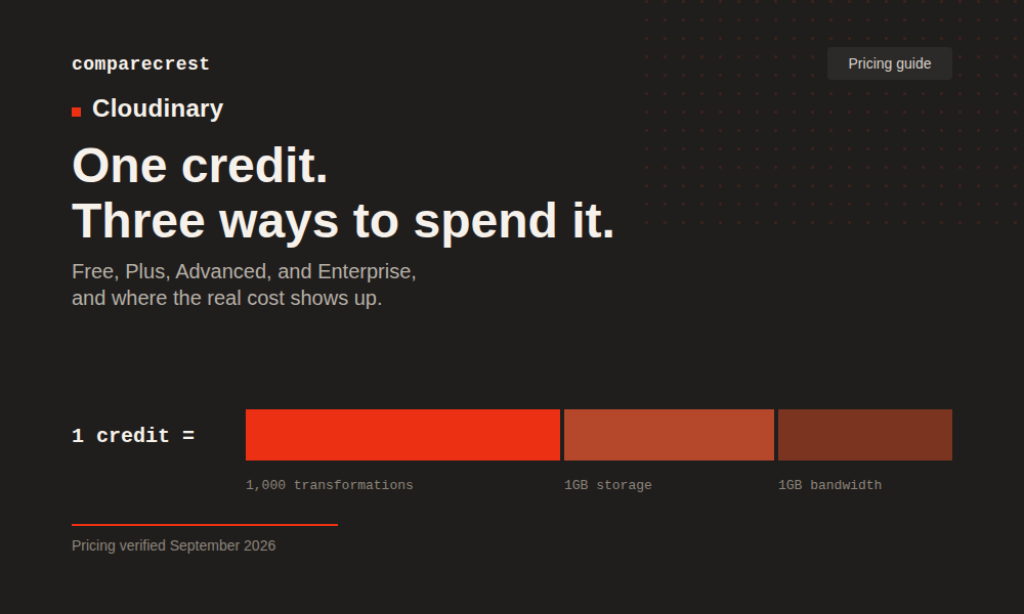
Cloudinary doesn’t sell storage, bandwidth, and transformations separately. It sells credits, and each credit converts into whichever of the three you actually use that month:
- 1,000 image or video transformations, or
- 1GB of managed storage, or
- 1GB of image delivery bandwidth, or
- 2GB of video delivery bandwidth on paid plans (video bandwidth is boosted 2:1 over image)
This is convenient when your usage mix shifts month to month, but it also means a single traffic spike can burn through a month’s credits faster than expected, since delivery bandwidth and storage draw from the same pool as transformations.
What Each Plan Unlocks
Free covers the basics: upload API and widget, image and video transformations, video transcoding, CDN delivery, and community/email support. It’s genuinely usable for small marketing sites, portfolios, and prototypes, not just a crippled trial.
Plus adds backup to your own S3 bucket, auto-tagging search, access to paid add-ons, expedited support, allowlist/blocklist controls, and role-based multi-user administration. This is the tier most small-to-mid teams land on.
Advanced adds custom domain (CNAME) support, optional HTTPS/SSL certificates, and additional authentication options, on top of everything in Plus, with a larger credit allocation and more seats.
Enterprise adds security and compliance review, multi-CDN infrastructure, enterprise SLAs, a dedicated customer success manager, custom contracts, and SSO/provisioning APIs.
Where the Real Costs Show Up
Three things trip people up that a bare pricing table doesn’t show.
- The usage window doesn’t reset on a calendar month
Cloudinary meters usage across a rolling last-30-days window rather than a calendar month that clears on the 1st. A traffic spike from a good sales week or a piece that goes viral keeps counting against your credit allowance for the full 30 days after it happens, not just until the end of the current month.
- Self-serve plans don’t bill overages, they suspend you
Free, Plus, and Advanced aren’t pay-as-you-go. Cross your credit allocation and Cloudinary doesn’t quietly add a line item to your invoice; it sends upgrade prompts starting around 90% of quota, and if usage stays high, the account can eventually be disabled. That’s a different risk profile than a metered bill: on the free tier specifically, hitting the ceiling means transformations and delivery stop working until the next cycle, which functions as an unplanned outage if usage isn’t being watched.
- Pay-as-you-go and enterprise contracts do charge per extra credit
Buyers who move to a PAYG or custom enterprise agreement see explicit overage pricing, reported around $0.45 per additional credit on PAYG arrangements, and enterprise deals can add 20 to 40 percent to total spend when credit allocations are underestimated at signing. This doesn’t apply if you’re on a self-serve tier, but it’s worth knowing before scaling into a custom contract.
One more thing worth budgeting for: Cloudinary’s delivery bandwidth is priced well above a raw CDN. Blended rates work out to roughly $0.37 to $0.44 per GB on delivery, versus $0.01 to $0.09 per GB from a provider like Bunny.net or AWS CloudFront. That premium pays for the transformation engine sitting in front of the CDN, not for cheaper bytes.
The Cheapest Way to Actually Use Cloudinary
For low-traffic sites, portfolios, and anything still in prototype stage, the Free plan’s 25 credits is enough runway, with no credit card required to start. The catch is the ceiling is hard: no overage billing means no automatic path forward when you cross it, just a suspended account.
Once a project outgrows Free, annual billing on Plus is the cheapest way to stay in production without hitting that wall: $89 a month annually versus $99 a month paid monthly, for the same 225 credits. The math only favors monthly billing when you’re not sure the project will last a full year.
Where Plus Earns Its Price
Plus is Cloudinary’s most popular tier, and the feature list backs that up for the audience it targets. Multi-user administration, your own S3 backup, and auto-tagging search cover what a small team needs to run a real content pipeline, not just a demo. For teams whose usage sits just above the free allowance but well under Plus, several independent pricing guides flag the same gap: paying for the full Plus plan wastes most of what you’re buying until usage catches up to it.
What Users Say About the Billing
Across independent reviews, sentiment on Cloudinary’s core product (transformation speed, delivery performance, API breadth) is consistently strong; G2 places it at roughly 4.4 out of 5 across 204 reviews. The friction shows up specifically around pricing and credits, not the product itself. A recurring theme across review platforms and developer discussion threads is that the credit system is hard to estimate ahead of time, and that bandwidth overage is the line item most likely to catch teams off guard. Several reviewers describe the sticker price as high relative to raw storage or delivery costs, while acknowledging that the transformation and optimization layer is what they’re actually paying for.
This doesn’t mean every account runs into these issues. Teams with stable, predictable traffic report the credit model as easy to plan around; it’s usage that spikes unpredictably, or workloads that lean heavily on video bandwidth, where the gap between expected and actual cost tends to appear.
How Cloudinary Pricing Compares with Others
| Provider | Entry paid price | Pricing model | Best for |
| Cloudinary | $89/mo (Plus, annual) | Credit pool (transformations + storage + bandwidth) | Teams needing DAM + image/video transformation + CDN in one platform |
| ImageKit | ~$89/mo (Pro) | Published per-GB rates | Teams wanting Cloudinary-equivalent pricing with transparent overage math |
| Imgix | ~$25/mo | Per-credit, lower allocation | Cheapest paid entry point, accepting lower included usage |
| Cloudflare Images | Usage-based | Flat per-image and per-delivery pricing | Teams prioritizing price transparency over free-tier generosity |
Cloudinary’s advantage is breadth: DAM, image API, video API, and workflow automation under one account, which is why teams already invested in its transformation library tend to stay rather than piece together cheaper point tools. Teams that mainly need straightforward image resizing and delivery, without the DAM and video layers, are more likely to find the per-GB alternatives cheaper for the same job.
Pricing Caveats to Budget Around
- Overage handling differs by plan type: self-serve tiers suspend instead of billing, PAYG and enterprise contracts charge per credit
- Usage is measured on a rolling 30-day window, not a calendar month
- Enterprise and DAM pricing require a sales conversation; there’s no published rate card
- Nonprofit and multi-year discounts exist but require contacting sales directly
- Delivery bandwidth is priced at a premium versus raw CDN providers
Is Cloudinary actually free to use?
Yes. The Free plan has no time limit and doesn’t require a credit card. It’s capped at 25 credits a month and 3 users on 1 account, enough for small sites but tight for anything with real traffic.
How much does Cloudinary cost for a small business?
Most small teams land on Plus at $89 to $99 a month, depending on billing cycle, which includes 225 monthly credits plus backup, tagging, and admin features the Free plan doesn’t have.
Does Cloudinary charge for overages?
Not on the Free, Plus, or Advanced plans. Those tiers send upgrade prompts and can suspend the account instead of billing extra. Pay-as-you-go and enterprise contracts do charge per additional credit.
What counts as a Cloudinary credit?
One credit equals 1,000 transformations, 1GB of storage, or 1GB of image bandwidth. Video bandwidth on paid plans gets a 2:1 boost, so one credit covers 2GB of video delivery.
Is Cloudinary cheaper than AWS S3 and CloudFront?
Not on raw storage or bandwidth. Cloudinary’s premium pays for the transformation and optimization engine in front of delivery, not for cheaper bytes. Teams that only need storage and a CDN, without on-the-fly transformations, typically pay less with raw cloud storage and a CDN.
Does Cloudinary offer nonprofit or annual discounts?
Annual billing saves about 10% on Plus and Advanced. Nonprofit pricing and multi-year contract discounts exist but aren’t published; both require contacting Cloudinary’s sales team.
Pricing current as of October 2026, based on Cloudinary’s published pricing page. Rates and credit allocations are subject to change; verify current pricing directly with Cloudinary before making a purchasing decision.
